Overview
The Issue Reporting System plugin provides users with a dedicated channel to report any issues encountered during or after a migration. It empowers users to log and track problems in real time, while giving IT teams a centralised view of all reported issues to support rapid resolution.
This transparency helps maintain user satisfaction by ensuring issues are acknowledged, monitored, and resolved in a structured, visible manner.
Key Features
- Enable users to raise and monitor their own issues
- Support ongoing updates and communication on open tickets
- Track all reported problems in a consolidated report
- Enhance accountability and response times during migrations
Video Overview: https://youtu.be/XfnW-G8UfJA
Prerequisites
- A user account with Administration privileges is required to install and configure the Plugin.
- The Defects module must be enabled.
Portal Authentication
This Portal requires Portal authentication. It's recommended that either Azure or Active Directory Single Sign-On are configured for this purpose, although One Time Password authentication is also supported. More information on setting up Portal Authentication can be found here: Single Sign-On (SSO) - Active Directory or Azure
Configuration Guide
This guide explains how to install and configure the Plugin to manage automated reminder emails, define contact roles, and control reporting options.
- Download the Plugin from https://managementstudio.com/plugins
- Unblock the zip file under File Properties
- Install the Plugin in Administration -> Extensions -> Plugins
- Restart the client
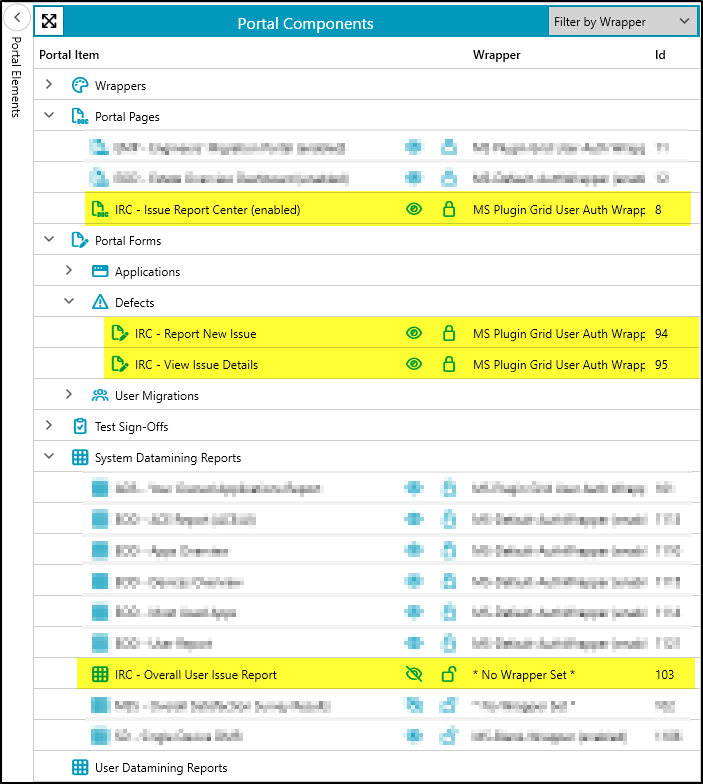
- Obtain the URL for Issue Reporting System: Administration -> Portal Settings -> Expand Portal Pages -> Select IRC - Issue Report Center -> Copy the Web URL by ID.
- Open this URL in a web browser.
There are no settings to configure for this Plugin.
Screenshots
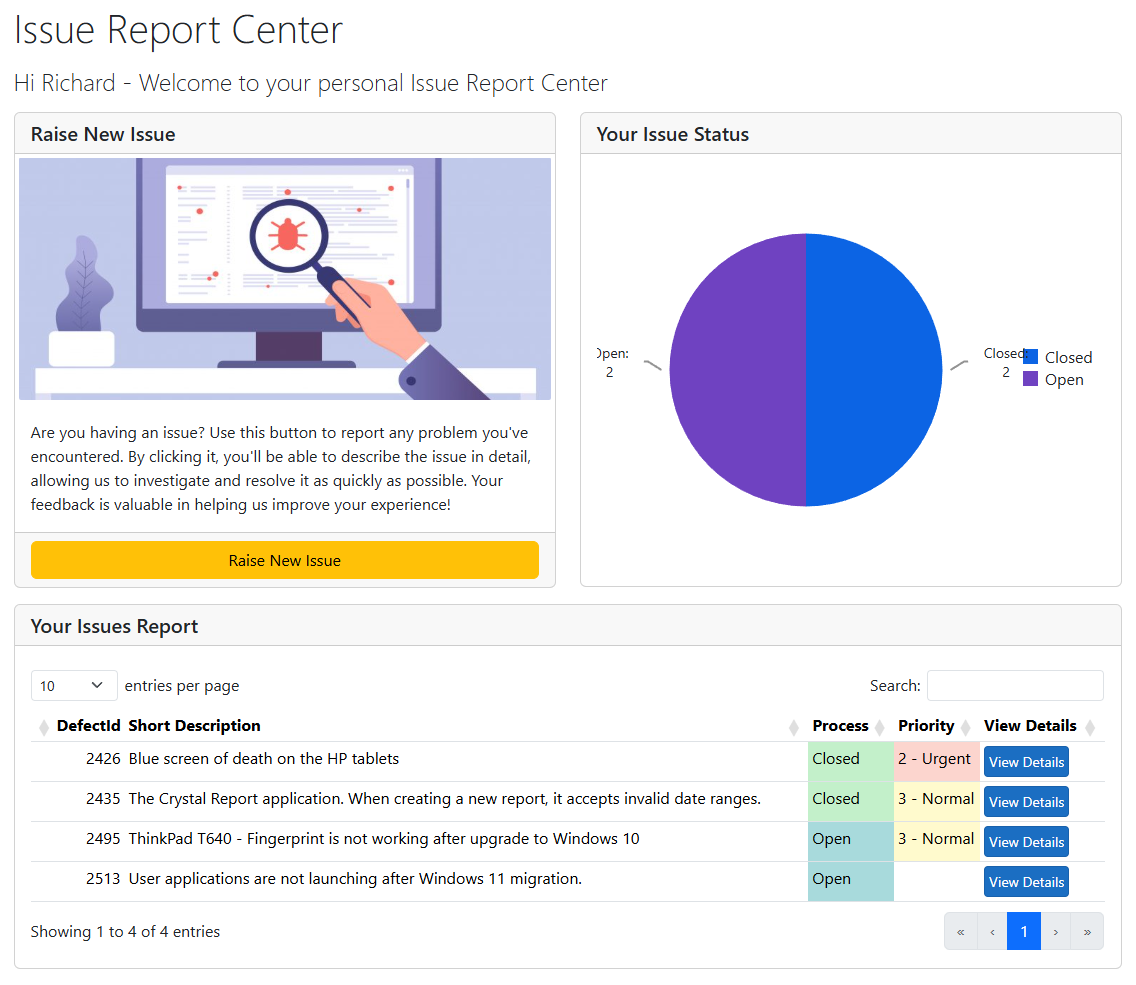 | 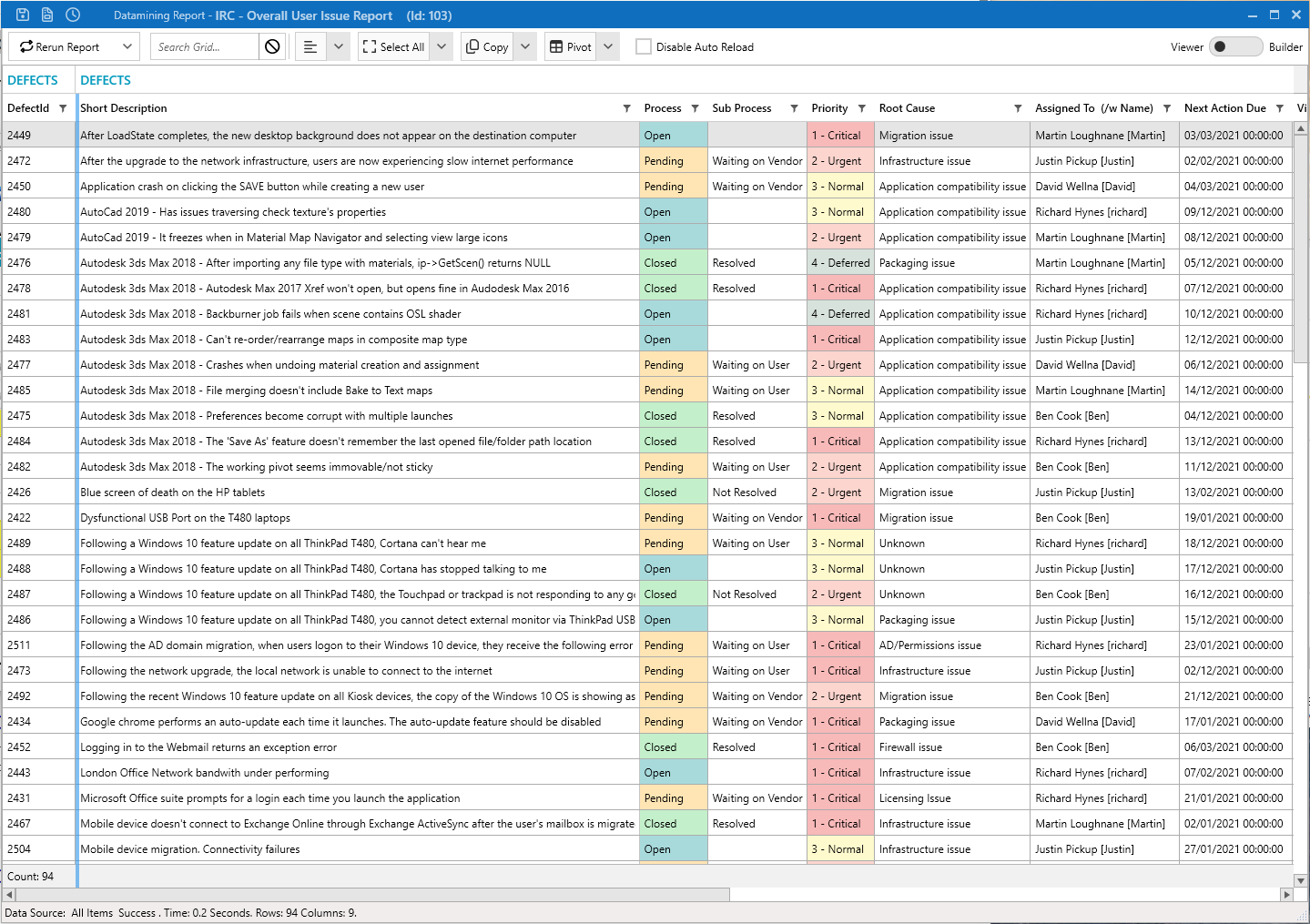 |
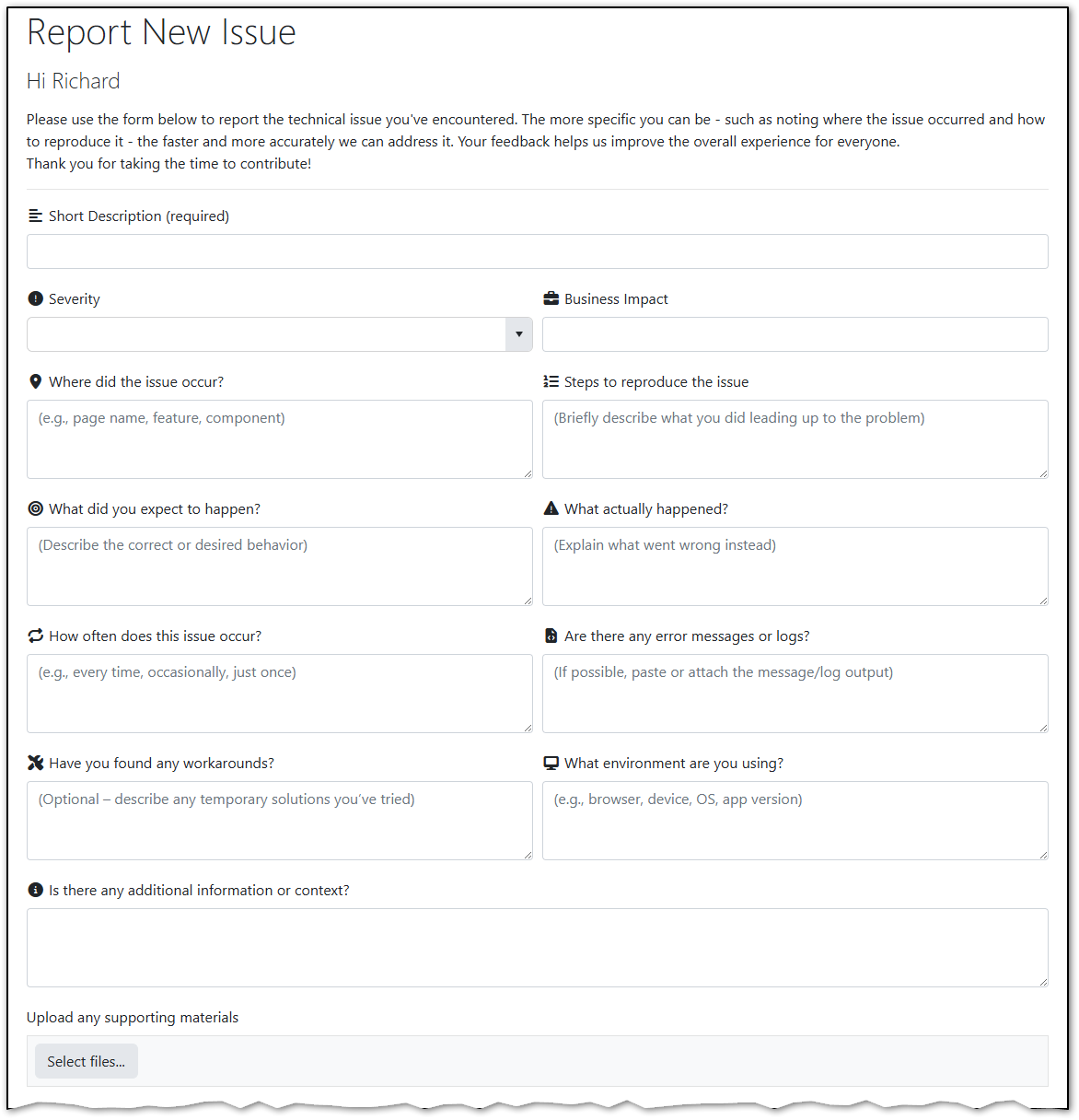 | 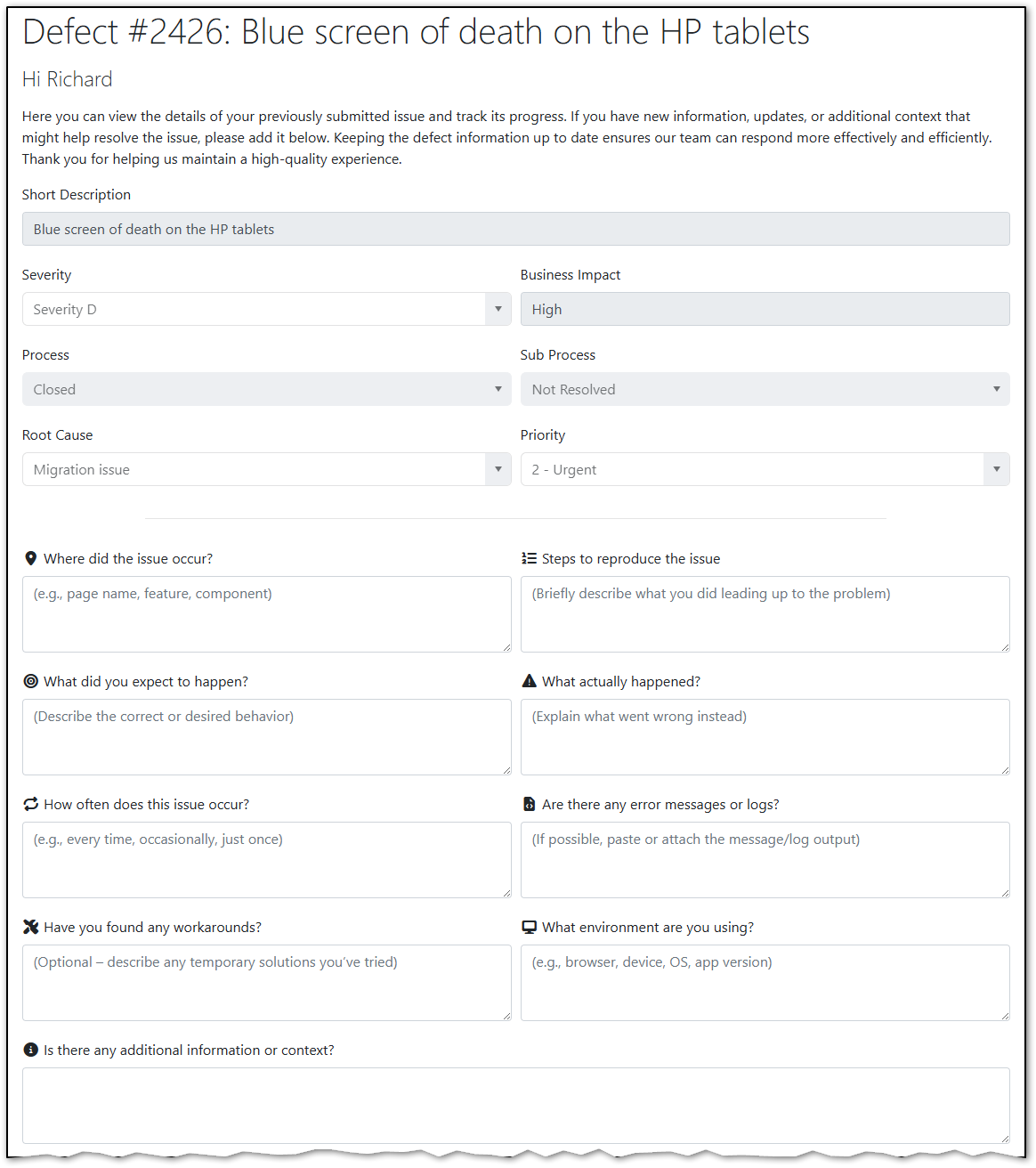 |
 |
Download
Plugin Version: 2.0
ManagementStudio Version: 2025.15.1.50
Was this article helpful?
That’s Great!
Thank you for your feedback
Sorry! We couldn't be helpful
Thank you for your feedback
Feedback sent
We appreciate your effort and will try to fix the article