TABLE OF CONTENTS
Troubleshooting Accessing the Client Admin Portal
Steps to Access the Admin Portal
- Log on to the CRM project.
- Search for the Customer.
- Select the Customer from the grid.
- Navigate to the
Discovery → Auth Managertab. - Click on
Retrieve Password. - Click
Create Admin Token. - Enter a reason for generating the token.
- Copy the generated Portal authentication token.
- Open a web browser on the Customer client.
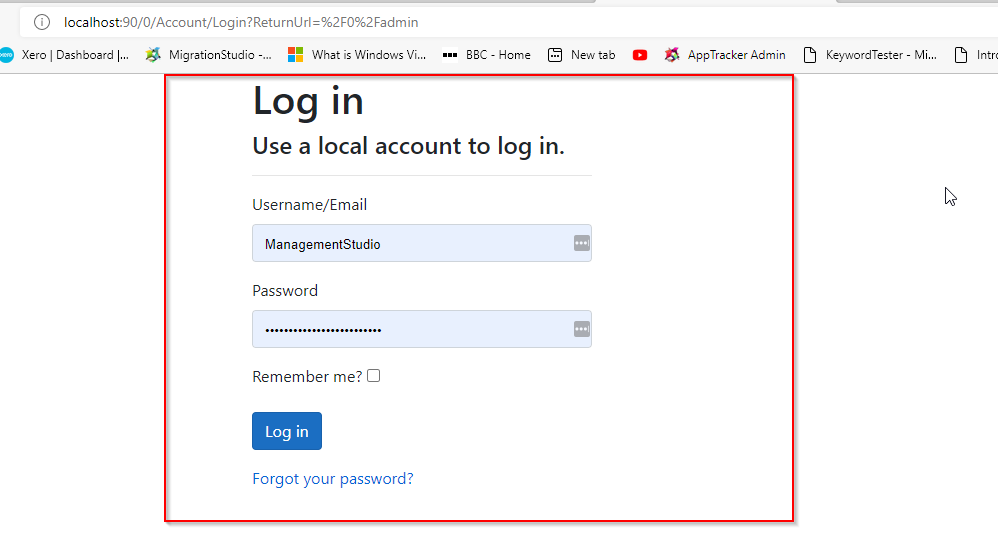
- Enter the ManagementStudio URL:
http://ServerName:90/0/admin- Enter the ManagementStudio username and password retrieved earlier.
- Click
Login.
- Enter the token generated earlier.
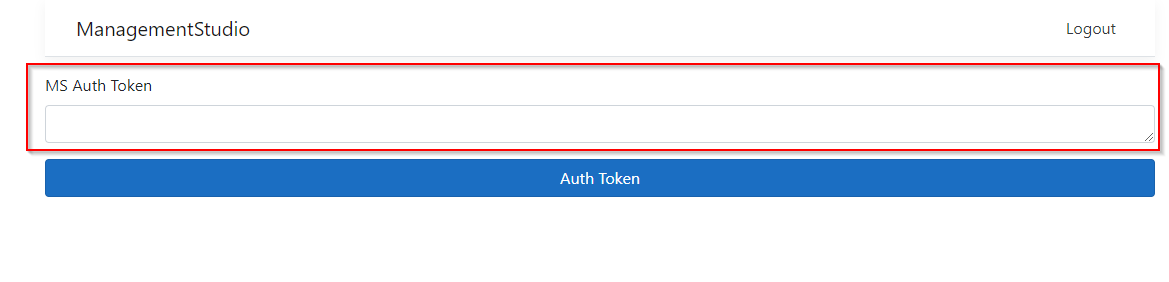
- Click
Auth Token. - You should now be presented with the Admin portal.
Further Support
For additional assistance, visit the ManagementStudio Service Desk to search the knowledge base or submit a support ticket.
Was this article helpful?
That’s Great!
Thank you for your feedback
Sorry! We couldn't be helpful
Thank you for your feedback
Feedback sent
We appreciate your effort and will try to fix the article