TABLE OF CONTENTS
Overview
The Export feature enables users to export item information from the platform into several commonly used file formats. This makes it easier to:
- Share information with stakeholders.
- Create reports and documentation.
- Archive item data.
- Integrate with external systems and tools.
- Perform additional analysis outside the application.
Supported Export Formats
| Format | Description |
Microsoft Word (.docx) | Ideal for creating reports and formal documentation. |
Markdown (.md) | Suitable for technical documentation, knowledge bases, and source-controlled content. |
HTML (.html) | Produces web-ready content viewable in any web browser. |
JSON (.json) | Exports structured data for integrations, automation, and further processing. |
Export an Item
Follow the steps below to export an item from any supported module.
Step 1: Open the Item
- Navigate to the required module (for example Apps, Users, Devices, or Deployment Units).
- Select the item you want to export.
- Double-click the item to open its Details tab.
Step 2: Start the Export
- Click Export [Module Name].

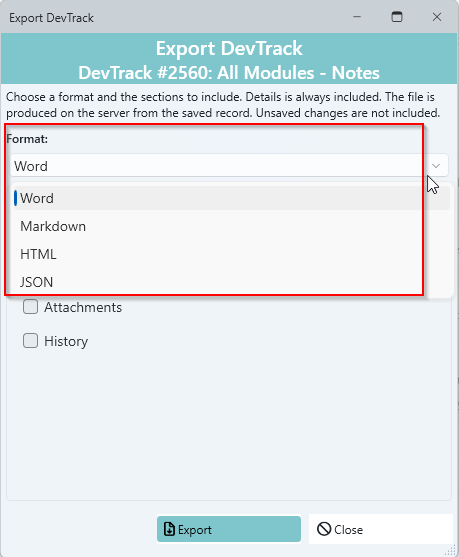
- Select the required export format:
- Microsoft Word (.docx)
- Markdown (.md)
- HTML (.html)
- JSON (.json)
Step 3: Choose Content to Include
- Select the sections you want to include in the export.
- Note: The Details tab is always included and cannot be deselected.
- Click Export.
- Choose a location to save the file.
Step 4: Complete the Export
Once the export has been generated, the file will be downloaded and saved to the specified location on your device.
Further Support
If you require further support, please visit ManagementStudio's Service Desk to search the knowledge base or create a new support ticket.
Was this article helpful?
That’s Great!
Thank you for your feedback
Sorry! We couldn't be helpful
Thank you for your feedback
Feedback sent
We appreciate your effort and will try to fix the article